HSE and Certificates
What it is for
HSE & Certificates is the add-on that keeps health, safety, and certificate work in one place inside SUM-IT. You maintain a central register of certificates for people and for equipment. You see what is valid, what is near expiry, and what has already expired. The product also helps you track incidents and check compliance on each project.
That helps your organization run safer, more compliant sites. Site teams spend less time chasing documents in scattered files. You can spot expiring certificates in time, and you are ready when a client or an inspector asks for proof.
The first full billing month after you first turn the module on is free, so you can try it without a charge.
How to use HSE & Certificates day to day is in the HSE Certificates user guide.
What you get
Once the module is on, SUM-IT opens these main screens for health, safety, and certificates.
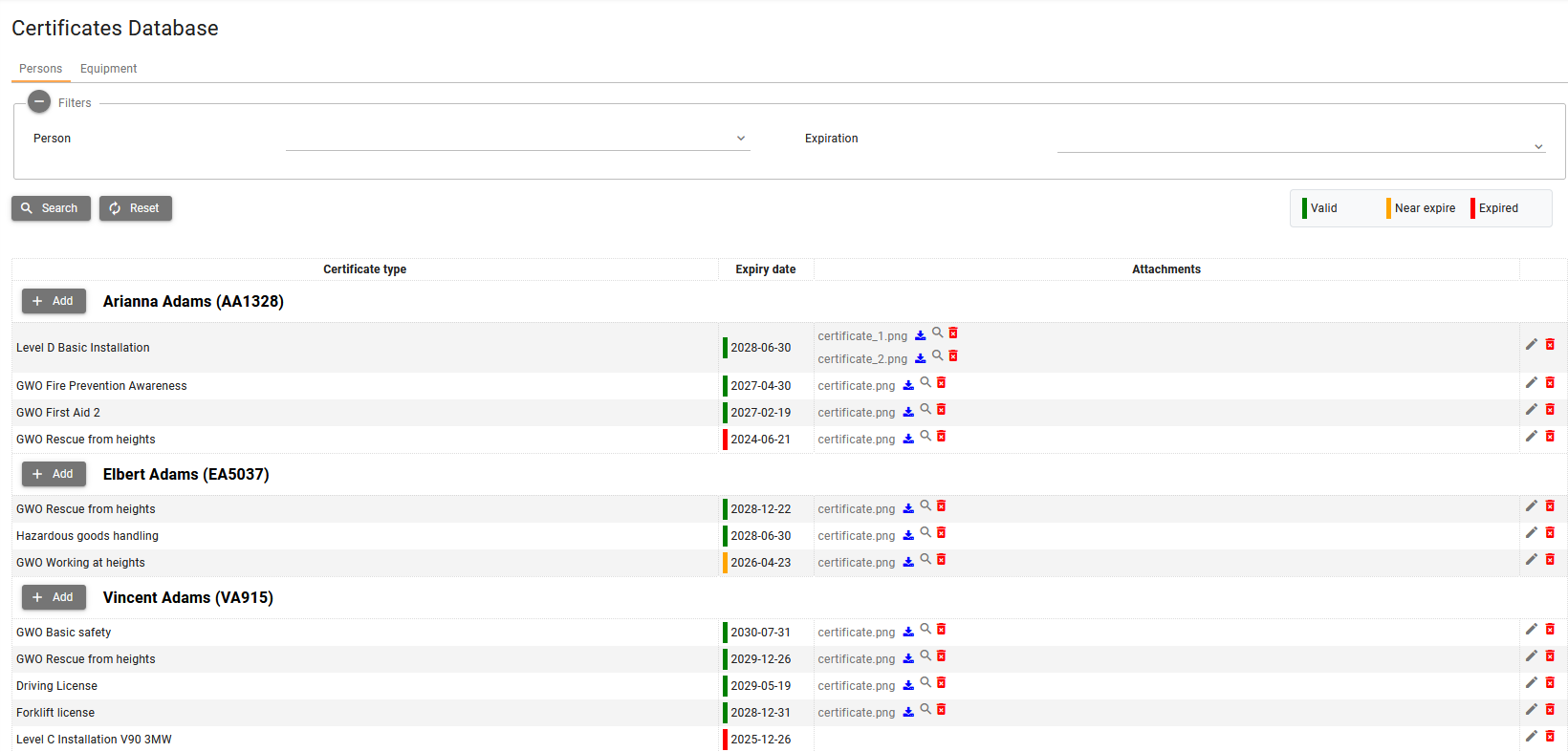
Certificates Database (organization)
SUM-IT Management → Certificates Database is your company-wide register of person and equipment certificates. You keep expiry dates and attachments in one place, so the same records are ready whenever people or equipment join a project.
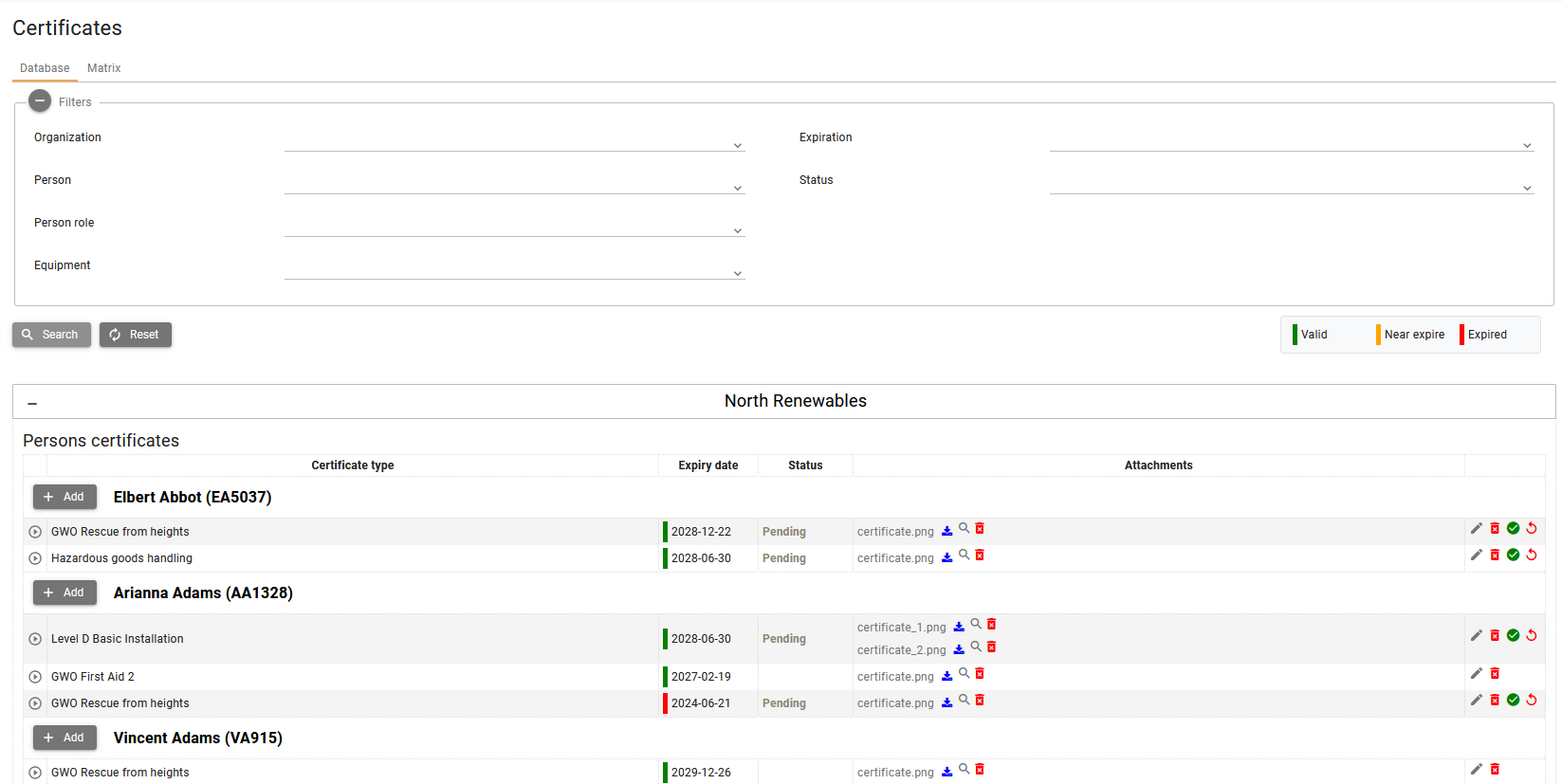
Project certificates
In a project, Health and Safety → Certificates → Database is where you work with certificates for that site. You can filter the list, add or update rows for your organization, attach files, and follow the review status with the project owner.
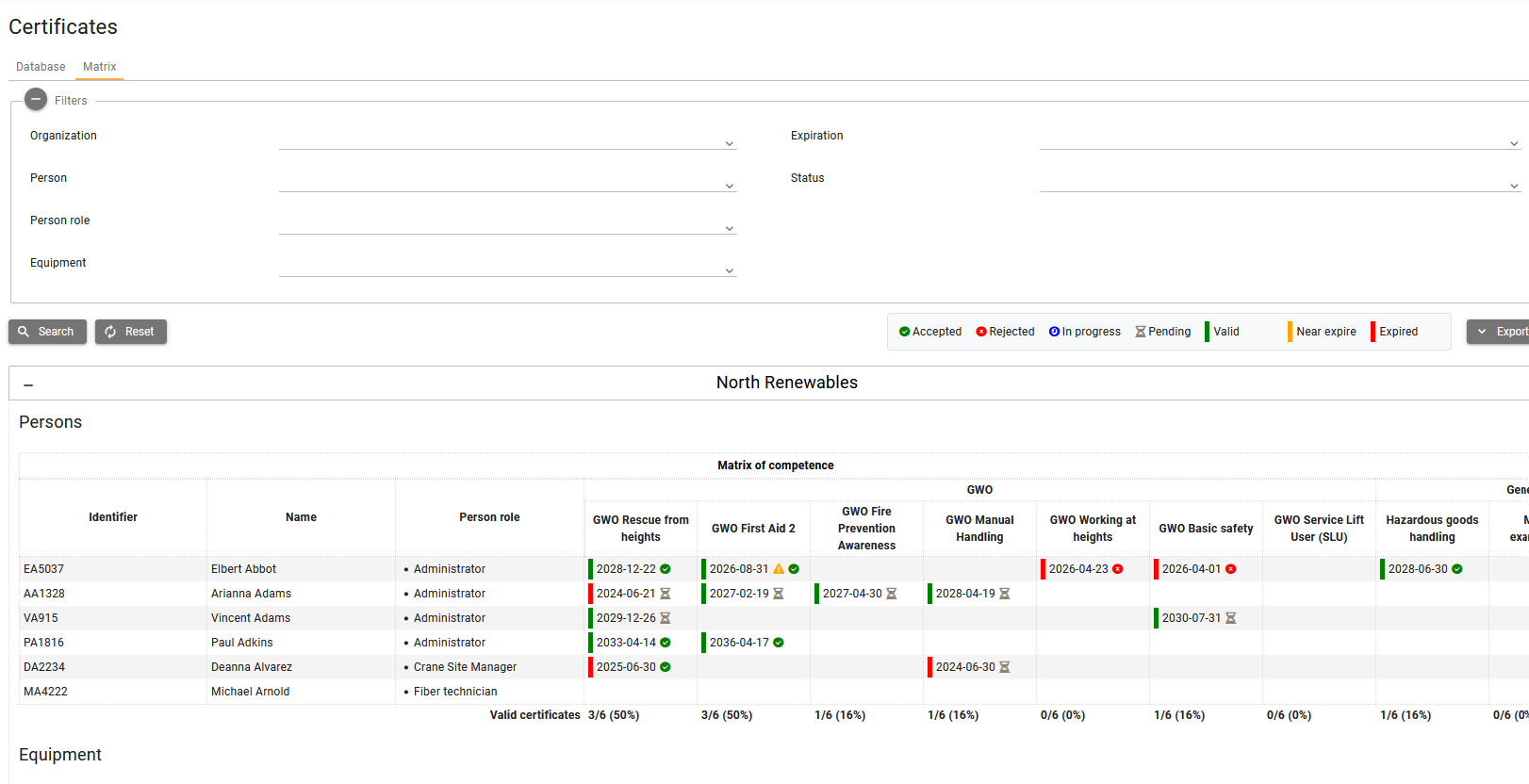
Certificates Matrix
The Matrix tab on the same Certificates screen shows required certificate types against people and equipment in the project. You can see at a glance what is valid, missing, or near expiry, and export the view when you need it for a review.
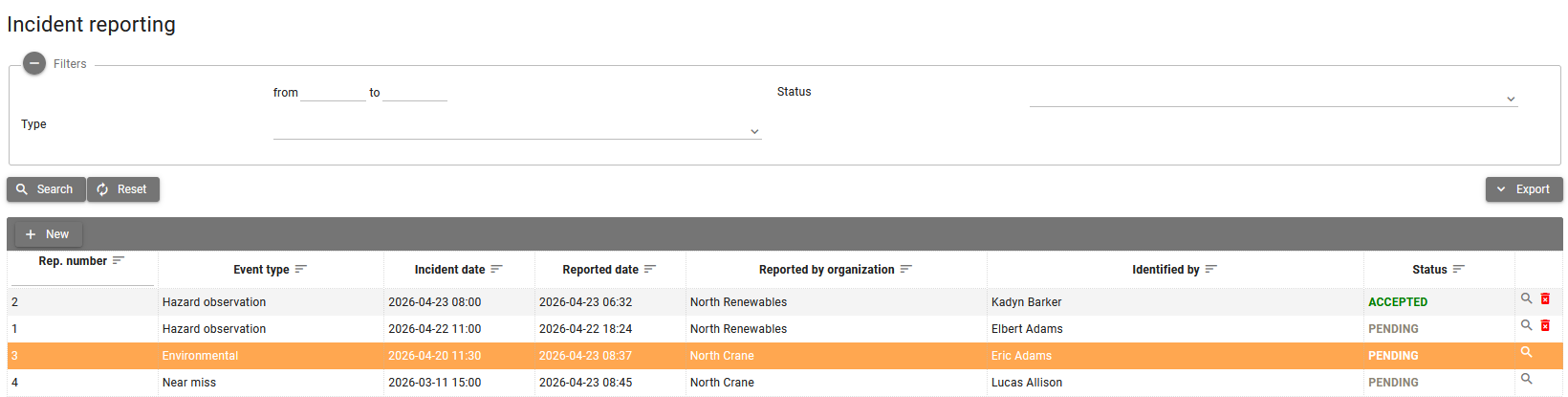
Incident reporting
Health and Safety → Incident reporting is where you register safety-related events in the project — hazards, incidents, near misses, and environmental issues. The list keeps status and history so the team can follow each report through.
HSE settings
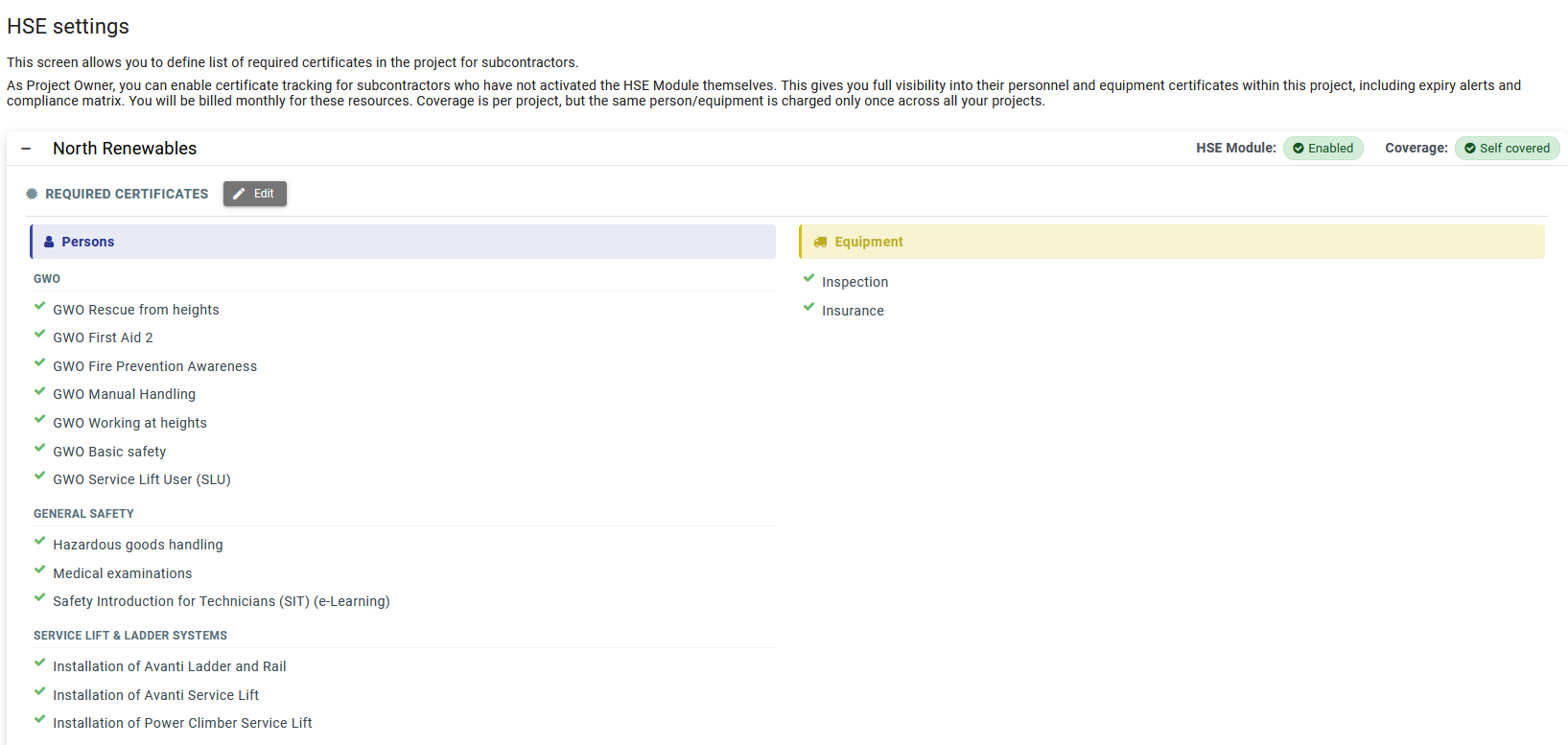
Health and Safety → HSE settings lets the project owner set which certificate types are required for the project, and manage coverage for subcontractors who do not run HSE on their own account.
Certificate notifications
SUM-IT can raise in-app alerts when certificates are about to expire or have already expired — for organization registers and for project certificates. Open the bell in the top bar to read them and act before work is held up by missing documents.
Turning the module on
Before the module is on, Apps & Modules → HSE & Certificates shows an invitation to turn it on:
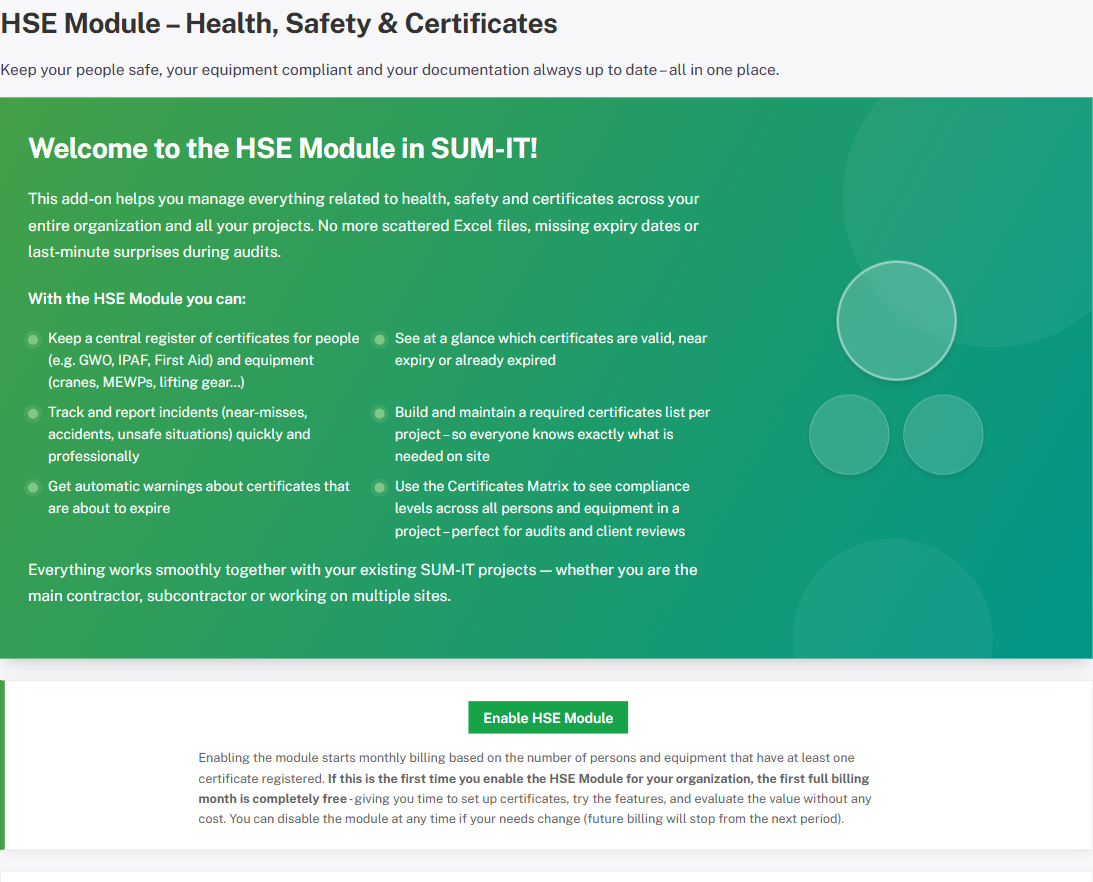
The first time you enable the HSE Module for your organization, the first full billing month is completely free. You can set up certificates, explore the features, and see whether it fits — without a charge for that first full month.
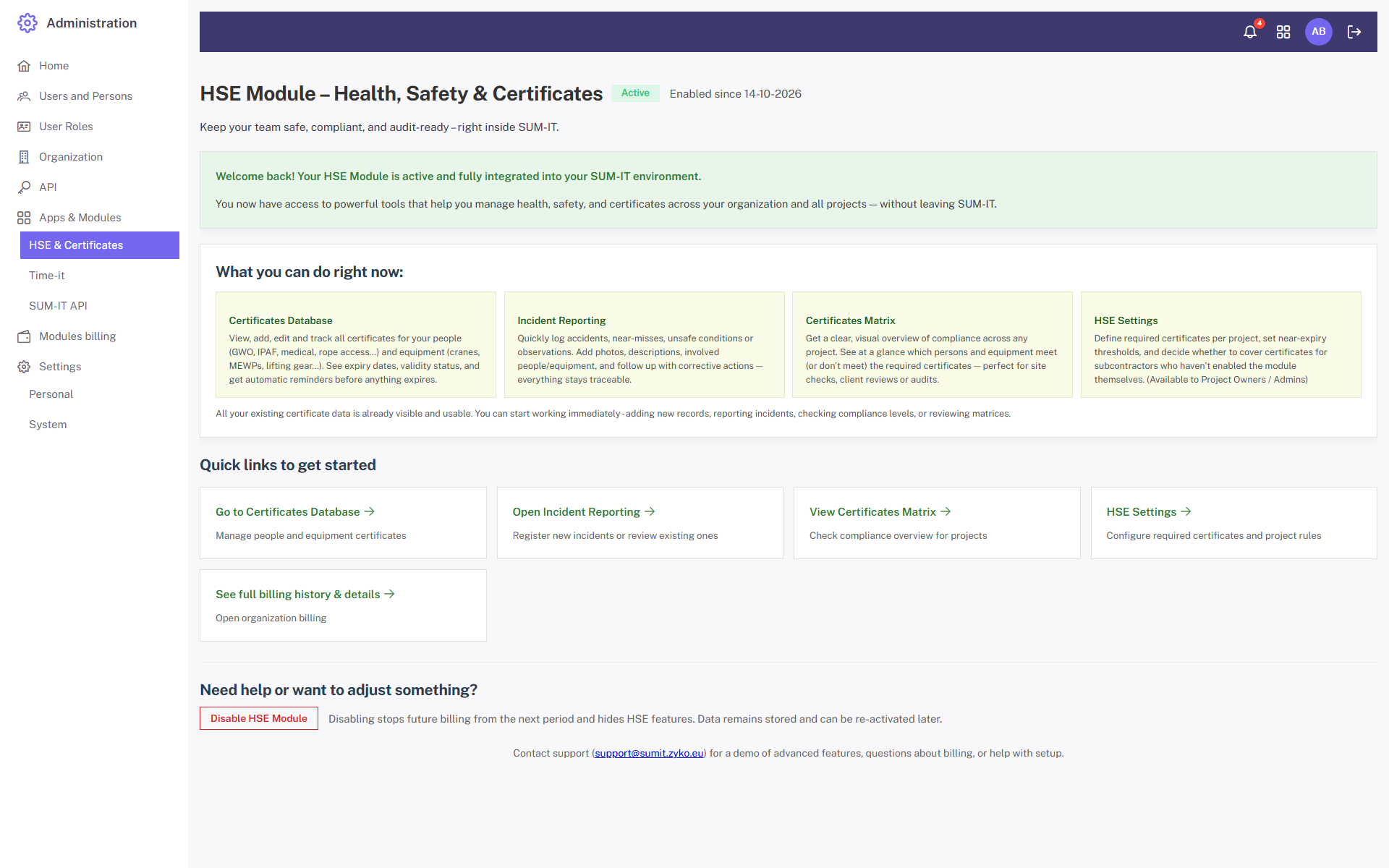
Under Apps & Modules → HSE & Certificates you turn the module on or off for your whole organization. Once it is on, this page shows it as Active with the date it was enabled, gives you Quick links to the main HSE screens, and offers Disable HSE Module if you ever need to switch it off:
What you can do
- See whether HSE is enabled.
- Choose Enable HSE Module or Disable HSE Module and confirm in the dialog ( / ). If you disable it, billing stops from the next period and HSE features are hidden. The data is kept, and you can turn the module on again later.
- Use the Quick links to open Certificates Database, Incident Reporting, Certificates Matrix, or HSE Settings.
- Open See full billing history & details if your role lets you view Modules billing.
Permissions
You need the Apps & Modules Edit permission to turn this module on or off.